No internet needed at showtime
Translations and cues live on your Windows or Mac laptop before curtain. During the performance, captions travel strictly over your venue’s local Wi‑Fi—never the cloud.
Every Word Into the Light · Captions, Program Audio & AD
Somewhere in the audience is someone waiting to experience every word. Cuelora Pro runs on one Windows or Mac laptop over your venue’s Wi‑Fi—serving zero-glare patron phones, a shared 16:9 open-caption TV, LED surtitles, Program Audio and Audio Description from one prepared show file.
Architecture & Showtime Craft
Generic speech-to-text stumbles on classical verse, overlapping dialogue, acoustic music and basement venues with spotty internet. Cuelora Pro prepares your script before the house opens—so showtime is deterministic, local and calm.
Translations and cues live on your Windows or Mac laptop before curtain. During the performance, captions travel strictly over your venue’s local Wi‑Fi—never the cloud.
Script Follow listens locally and advances cues as lines are spoken—using word coverage on standard lines, or a strong ending match when an actor projects the close of a longer speech—with instant one-key manual control.
Import a PDF, Word or Fountain script and translate into Spanish, French, Italian, Portuguese, Arabic and Korean offline on your laptop (plus additional languages with your own API key). Licensed scripts stay in your building.
Import your playbill from PDF or Word to publish narrated Program Audio before curtain. During the show, replay cue-linked Recorded Audio Description alongside captions, or narrate Live Audio Description from the house manager screen—with optional capture for future performances.
Edit, split or cut lines in the built-in Advanced Script Editor with revision history and locked-page PDF, Word, Fountain and CSV exports. After curtain, export local usage reports across captions, Program Audio and Audio Description for grants and the board.
Inside the Software · Unretouched Screens
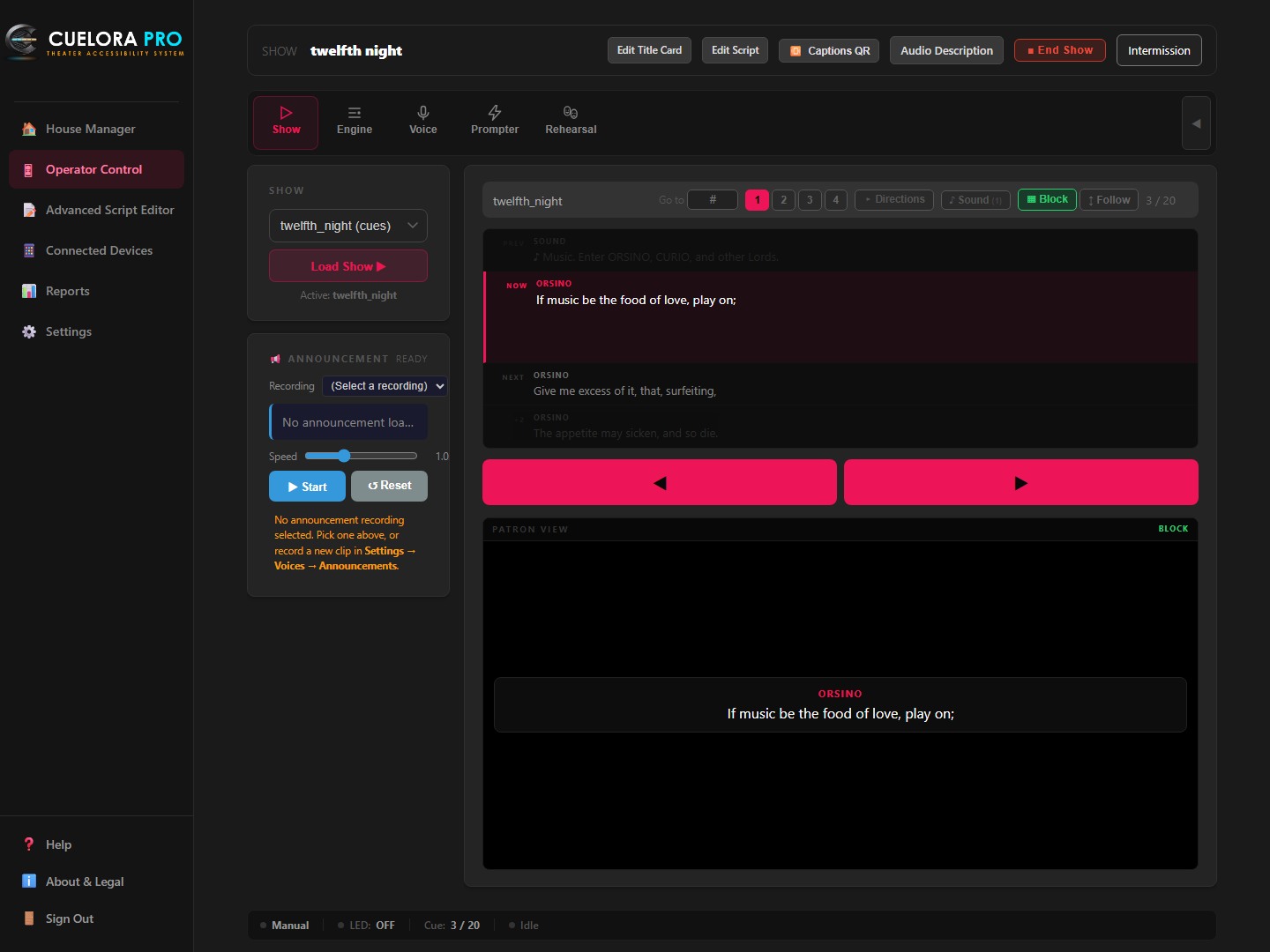
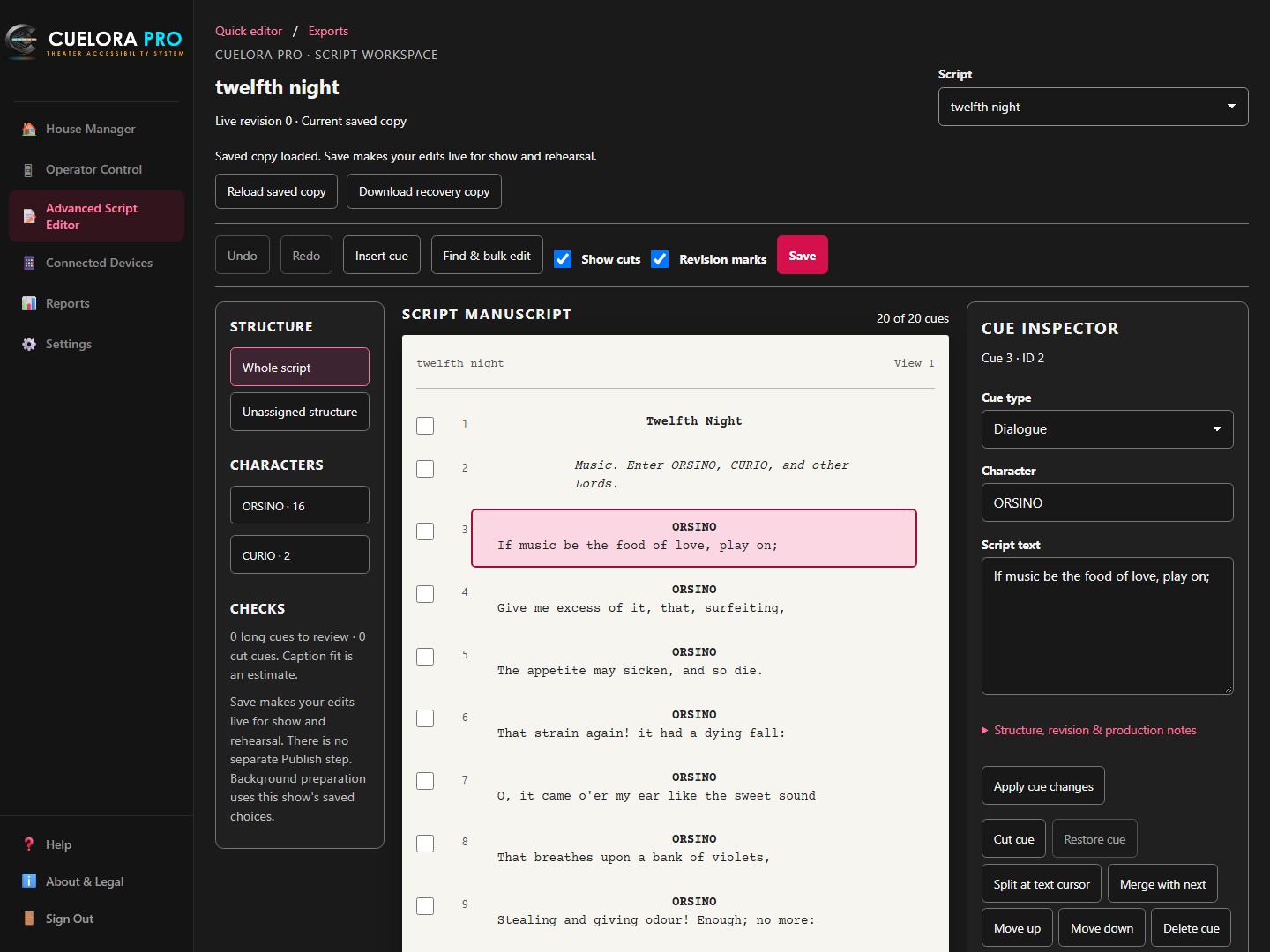
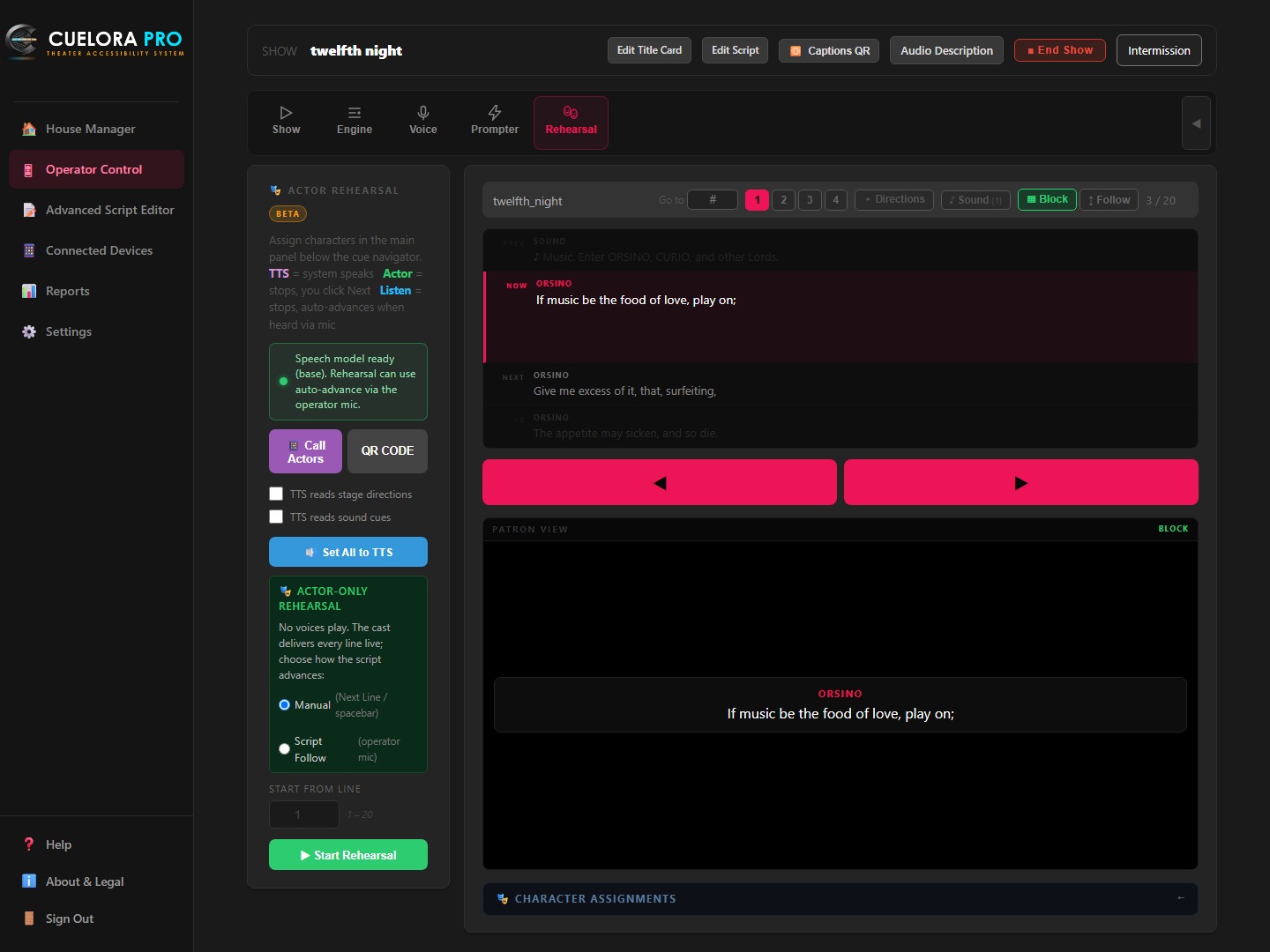
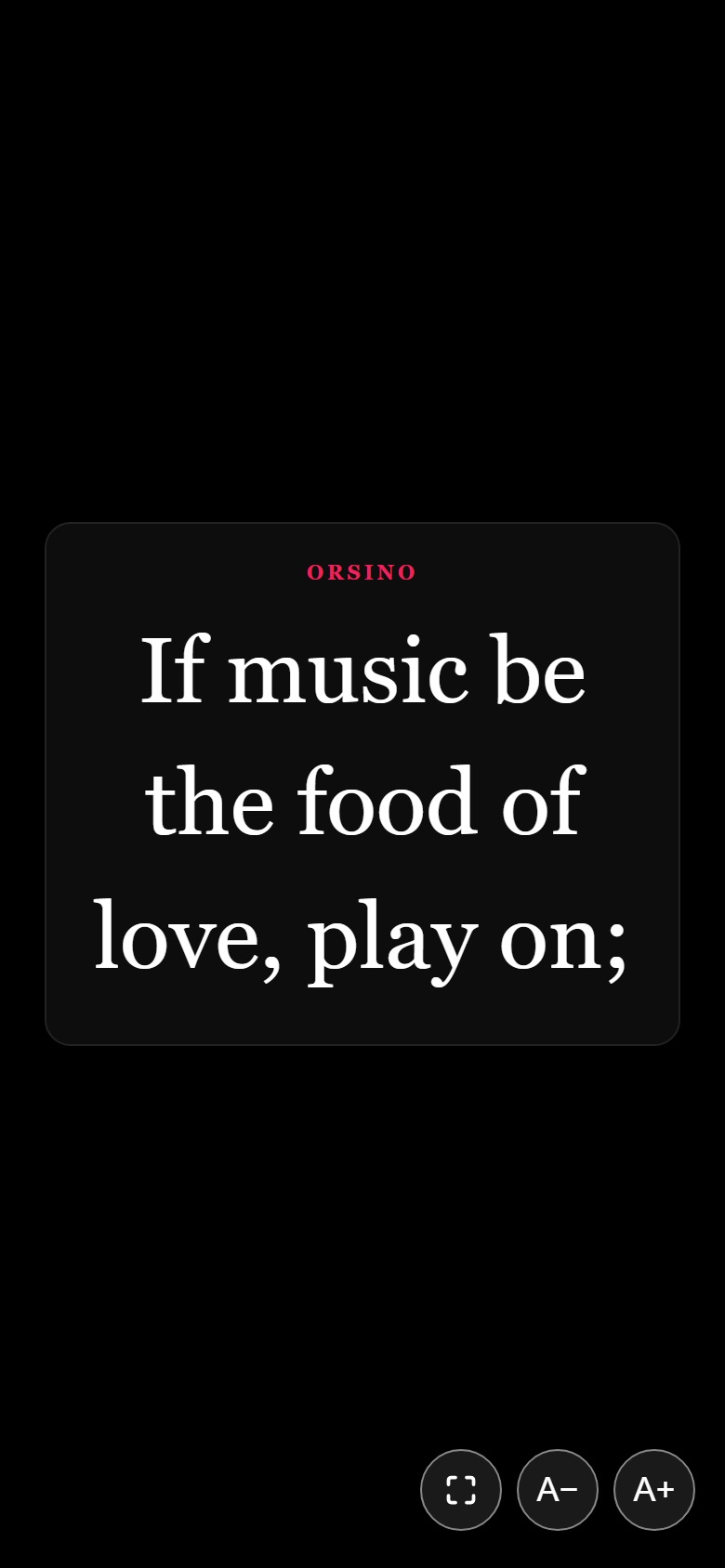
Inspect the actual Cuelora Pro screens running public-domain scenes from Twelfth Night—from Advanced Script Editor and showtime Operator Control to solo and cast Rehearsal Mode.
Designed for a darkened booth: see the previous cue, the live cue on air, the next lines queued, and the exact patron view below.
Open Advanced Script Editor from the app menu to work on the same script used for captions and rehearsal.
Open Rehearsal right inside Operator Control to run lines with one actor or the whole room using the script you already imported.
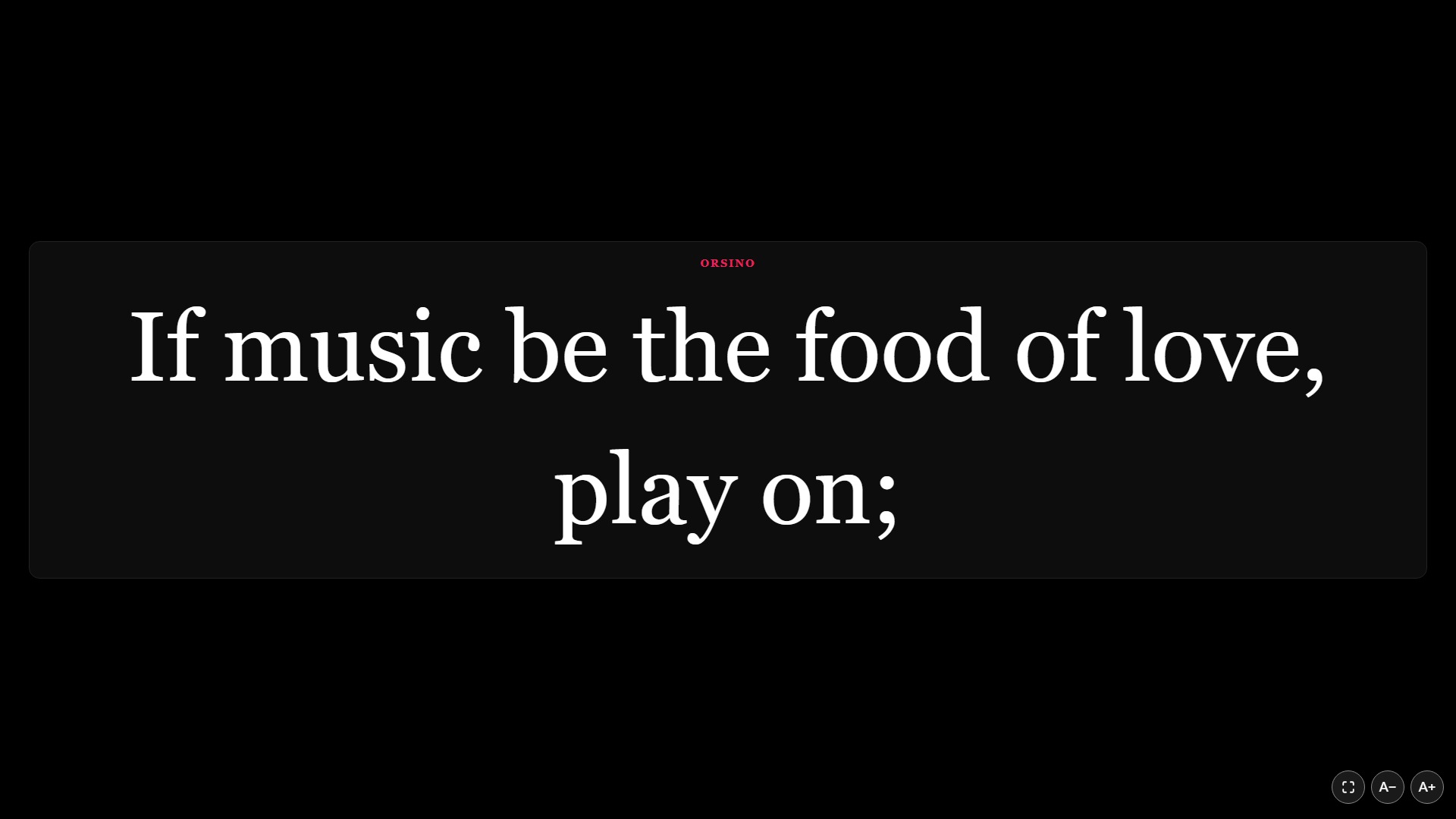
Every theater space is shaped differently. Run closed captions, open captions and surtitles separately or all at once.
No app is required—browsers work out of the box. For patrons who prefer a dedicated app or venues lending their own devices, the free Captions app keeps the screen awake and remembers their language and text size.
Transparent Subscriptions · $0 Per-Performance Fees
One show computer (Windows or Mac) per subscription. Run unlimited rehearsals and performances with updates, email support and a 14-day first-payment refund included.
Frequently Asked Questions
No app is necessary. Patrons join your venue Wi‑Fi, scan the QR code and read along in their phone or tablet’s browser with nothing to install and no account required. Our free iOS and Android apps (Cuelora Pro: Captions and Cuelora Pro: Audio Description) are optional—and the Audio Description app is recommended for audio because playback continues with the device locked.
No. Captions and prepared audio travel strictly over your venue’s own Wi‑Fi. Offline translations are generated on your laptop during setup after a one-time ~1 GB model download per language, so script text never leaves your building.
Import your printed program from PDF, Word or text to generate or record narrated Program Audio before the show. For Audio Description, link recorded descriptions to script cues so they replay automatically alongside captions, or narrate live from the house manager screen.
Yes. Rehearsal Mode (included in Pro) turns your imported script into an interactive run-through: Cuelora Pro speaks other roles aloud, listens through the microphone for your lines, advances on cue and can display prompts on a phone in the wings.
Yes. Install Cuelora Pro on a Windows or Mac machine on your staff network (default port 5000), map a spare outside IP on your firewall to port 5000 via NAT, and restrict inbound traffic on that rule to your venue’s own guest Wi‑Fi egress IP—keeping patron devices isolated from staff VLANs without exposing captions to the public internet.
Free Venue Demo License · Windows or Mac
Enter your venue’s work email and we’ll send a download link for a free demo of Cuelora Core or Cuelora Pro—no credit card required.