Cuelora TDP
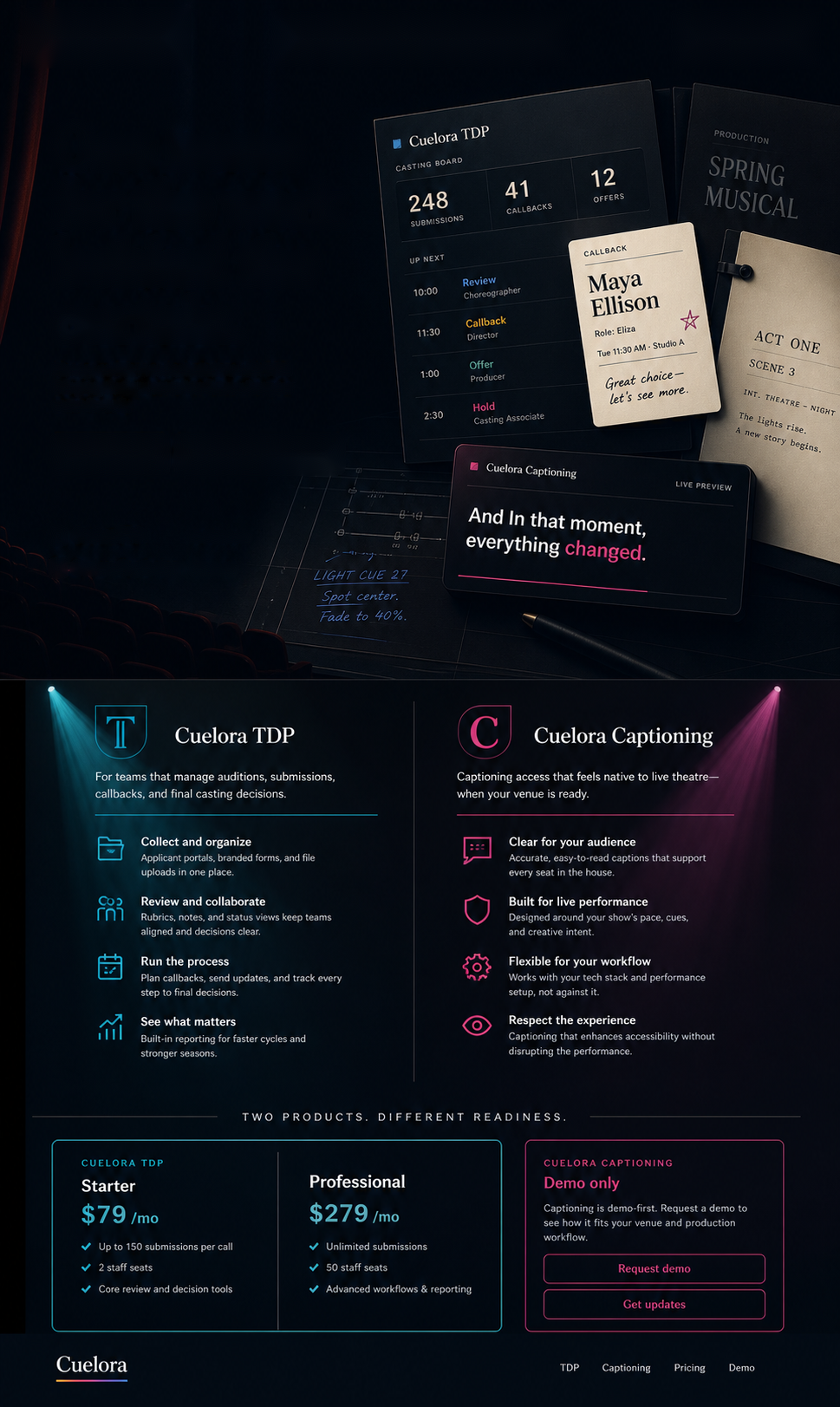
For producers, casting directors, dramaturgs, call managers, and administrators who need submissions, callbacks, reviews, and offers in one place.
View TDP plans
Let Cuelora TDP help with communications, documents, coordination, applicant portals, rubric-based reviews, contacts, and year-over-year records, so your team can stay focused on the work.
Get started todayLet Cuelora TDP help with communications, documents, coordination, applicant portals, rubric-based reviews, contacts, and year-over-year records, so your team can stay focused on the work.
Two theatre workflows, one Cuelora direction
TDP is available now for the submittal and casting process. Cuelora Captioning for Windows and macOS is ready for venues that want the same theatre-first approach in live performance access.
For producers, casting directors, dramaturgs, call managers, and administrators who need submissions, callbacks, reviews, and offers in one place.
View TDP plansFor venues ready to support audiences with live captions, shared displays, LED signs, and showtime tools without stacking more disconnected systems.
Explore captioningCuelora is a live venue communications and accessibility system — not just a caption tool. It lifts work off your house manager and front-of-house team by centralizing scripted content delivery across patron phones, shared displays, and LED signs from a single in-house service.
Import your script, and Cuelora auto-generates cues with speaker names, dialogue, stage directions, and multilingual translations. At showtime, an operator advances captions in sync with the performance — or lets Script Follow auto-advance by listening to the actors.
Authorized staff manage the whole system through a browser from approved devices. Prepared shows run on your local network with no internet required at showtime, and usage data stays inside your building — ready for grants, board reports, and accessibility program records when you need them.
Deliver live captions any way your audience and venue need them.
Closed captioning on each audience member's own device. No app download — just scan a QR code or type a short URL. Patrons choose their preferred language and adjust font size from their screen.
Open captioning on a smart TV or monitor visible to the whole house. Connect any screen with a web browser to your local network and it becomes a caption display — no special hardware needed.
Scrolling LED surtitle output via HDMI display or direct serial/USB connection. Professional surtitle delivery for opera, multilingual productions, and larger venues — driven from the same system.
Professional captioning without the overhead that comes with most systems.
Patrons connect through any web browser. No app store, no account creation, no friction at showtime. Works on any phone, tablet, or browser-equipped device.
At showtime, Cuelora runs on your local Wi-Fi network with no cloud dependency or show data leaving your building. Optional translation calls happen during import, then the show itself is fully offline.
No caption receivers to buy, store, charge, or replace. Patrons use the phones they already carry. Your team runs the system from a standard laptop and wireless router.
Pay once for a perpetual license. No subscription, no recurring platform fee, no vendor lock-in. Run Cuelora at every performance on the licensed machine, subject to the license terms.
Import your script and Cuelora auto-translates into Spanish, French, and more. Patrons pick their language from their own device, mid-show if they want.
Cuelora listens to live speech and auto-advances captions in real time. Reduces operator workload during fast-paced scenes while keeping full manual control available.
Track caption usage by show, season, and custom fiscal year — then export clean CSVs for grant applications, accessibility program records, and board reports. A built-in feature, not an afterthought.
Cuelora cuts the manual work of getting captions and scripted content where it needs to go during a live performance. One central service serves phones, shared displays, and LED signs — fewer moving parts for your house manager and FOH team.
Run Cuelora from an always-on in-house machine or server. Authorized staff log in through a browser from approved devices — no special control app on every endpoint, no cloud dependency, no vendor phoning home.
Run your lines with a full cast of mapped rehearsal voices. Pick your character and Cuelora reads every other role in distinct voices, listening for your cue lines and responding in real time — like a full cast rehearsing with you, on your own schedule. Local voice options run on your machine; optional ElevenLabs voices are BYOK and generate cached rehearsal audio only when you choose them during setup/prebuild.
A built-in text-to-speech script reader lets you hear the whole show in multiple voices — useful for blocking review, accessibility, table reads, and actors preparing on the go. Local voices generate on your machine; optional ElevenLabs BYOK voices can be used for rehearsal/prebuild audio under your own ElevenLabs account.
Cuelora is designed for organizations that need professional captioning without a heavy technical footprint or large capital equipment budget — including nonprofits and publicly funded theaters that have to report accessibility program usage for grants, accessibility planning, and board reporting.
Cuelora was shaped by firsthand experience supporting live performance, with accessibility, reliability, and practical day-to-day operation at the center of its design.
Captioning is not treated like an afterthought. Cuelora exists to help theaters offer accessible performances in a way that is practical, dependable, and respectful of the audience.
This product comes from real world experience. It was shaped by the realities of live performance, technical operations, IT infrastructure, and the daily work of keeping a theater running.
Cuelora works on your local network, so your show does not depend on the cloud or an outside internet connection. It is designed to keep working when reliability matters most.
Choose the plan that fits your production needs today. Start with Core for manual live captioning, or move to Pro for automation, multilingual delivery, and expanded output options.

Best for small venues, schools, black box theaters, churches.

Best for regional theaters, touring companies, opera, multilingual productions.
Both licenses are perpetual. No subscription. No per-performance fees.
Quick answers to the questions theaters ask most.
No. Audience members simply open any web browser on their phone or tablet and connect to the local network. There is no app store download, no account creation, and no setup required for patrons.
Cuelora supports every major delivery mode from a single system: personal captions on patron phones and tablets (closed captioning), captions on a shared display visible to the whole house (open captioning), and scrolling LED surtitle output via HDMI or serial. Most competing systems only support one mode.
No. Cuelora’s show delivery runs on your venue’s local Wi-Fi network. No internet connection is needed during a performance, and caption delivery data stays in your building. Script translation and optional BYOK voice generation are setup/prebuild steps before showtime.
Cuelora Core is $895 and Cuelora Pro is $3,500. Both are one-time purchases with perpetual licenses. There is no subscription and no per-performance fee.
GalaPro requires a patron app download and an ongoing software fee. Traditional systems rely on dedicated receiver hardware that must be purchased, charged, and managed. Cuelora requires none of these — patrons connect via any browser, no hardware fleet is needed, and you pay once for a perpetual license with no subscription.
Yes. Cuelora Pro includes a Full Rehearsal Mode that turns the script into an interactive run-through for a single actor. Choose your character and Cuelora reads every other role in mapped text-to-speech voices, listens for your cue lines through the microphone, and responds in real time — like having the whole cast rehearse with you. There is also a straight script read-aloud mode for table reads, blocking review, accessibility, or prep on the go. Local voice options run on your machine; optional ElevenLabs voices are BYOK and generate cached rehearsal audio only when an admin chooses them during setup/prebuild.
Yes. Cuelora Pro includes a built-in local reporting dashboard that tracks caption usage by show, season, and custom fiscal year. You can export clean CSVs to hand to development, finance, or executive teams for grant applications, accessibility program records, and board reports. All reporting stays on your local system — nothing is sent to us or to the cloud. Nonprofits and publicly funded venues get the usage data they need as a built-in feature, not an afterthought.
Each show runs from one laptop on your local Wi-Fi. Patron phones, tablets, shared displays, and LED signs all connect to it through a browser — no app or extra software needed. The operator can control captions from the same laptop or from a separate device over the network.
If your venue has multiple stages running shows at the same time, each one needs its own laptop with its own license.
Yes. If you don't need the laptop's mobility and you're making Cuelora a fixed part of your theatre's infrastructure, you can run it on a local server on your private house network. The typical venue has a private LAN for staff and production plus an isolated guest Wi-Fi for patrons that can't see the LAN. To bridge the two without exposing Cuelora to the open internet, install Cuelora on a server on the private LAN on the default port 5000, assign a secondary public (outside) IP on your firewall and create a NAT rule mapping it to the server's private IP on port 5000, then add a firewall rule on that NAT so inbound traffic is only allowed from your venue's own ISP outside IP address — the same public IP your guest Wi-Fi egresses through. Patrons on the guest Wi-Fi reach Cuelora via the public NAT address, but nobody on the open internet can. The server stays private, patrons get captions on the guest network, and you don't have to route between VLANs. This is an advanced network configuration — have your IT team or network admin set it up.
Request a free demo license and we'll email you a download link. No credit card, no commitment — just fill in the form below and try it in your venue.