CUE 01 / 05 · TWELFTH NIGHT
ORSINO: IF MUSIC BE THE FOOD OF LOVE, PLAY ON; GIVE ME EXCESS OF IT, THAT, SURFEITING, THE APPETITE MAY SICKEN, AND SO DIE.
Cuelora Pro

Every Word Into the Light · Captions, Program Audio & AD

Every seat.
Every word. In their own language, right in their hand.

Somewhere in the audience is someone waiting to experience every word. Cuelora Pro runs on one Windows or Mac laptop over your venue’s Wi‑Fi—serving zero-glare patron phones, a shared 16:9 open-caption TV, LED surtitles, Program Audio and Audio Description from one prepared show file.

Offline at Curtain Runs on local Wi‑Fi; survives any internet outage
No App Required Instant mobile browser or optional free iOS/Android apps
$50 Core · $300 Pro Flat monthly or annual subscription · $0 per-show fees
Shared 16:9 Open-Caption TV · House Feed CUE 01 / 05
ORSINO
If music be the food of love, play on; give me excess of it, that, surfeiting, the appetite may sicken, and so die.
CUE 01 / 05
♪ Music plays — strings
ORSINO
If music be the food of love, play on; give me excess of it, that, surfeiting, the appetite may sicken, and so die.
EN · Browser
CUE 01 / 05 Script Follow · Matched 100% · Local Wi‑Fi

Architecture & Showtime Craft

Built for live theater.
Not repurposed from video calls.

Generic speech-to-text stumbles on classical verse, overlapping dialogue, acoustic music and basement venues with spotty internet. Cuelora Pro prepares your script before the house opens—so showtime is deterministic, local and calm.

01 · Showtime NetworkLAN ONLY

No internet needed at showtime

Translations and cues live on your Windows or Mac laptop before curtain. During the performance, captions travel strictly over your venue’s local Wi‑Fi—never the cloud.

Showtime Cloud Calls0 · 100% Local LAN
02 · Local Speech EngineSCRIPT FOLLOW

Follows the actors on cue

Script Follow listens locally and advances cues as lines are spoken—using word coverage on standard lines, or a strong ending match when an actor projects the close of a longer speech—with instant one-key manual control.

Operator OverrideInstant Spacebar / Click
03 · On-Device Translation6 OFFLINE + API

Private, offline multi-language prep

Import a PDF, Word or Fountain script and translate into Spanish, French, Italian, Portuguese, Arabic and Korean offline on your laptop (plus additional languages with your own API key). Licensed scripts stay in your building.

Offline Models~1 GB Once / Language
04 · Program Audio & Audio DescriptionHEADPHONES · LOCK-SCREEN READY

Hear the printed program. Follow the stage action.

Import your playbill from PDF or Word to publish narrated Program Audio before curtain. During the show, replay cue-linked Recorded Audio Description alongside captions, or narrate Live Audio Description from the house manager screen—with optional capture for future performances.

Patron PlaybackBrowser or Lock-Screen App
05 · Working Script & Grant ReportingLOCAL CSV EXPORTS

One current script. Grant-ready reports.

Edit, split or cut lines in the built-in Advanced Script Editor with revision history and locked-page PDF, Word, Fountain and CSV exports. After curtain, export local usage reports across captions, Program Audio and Audio Description for grants and the board.

Export FormatsPDF · DOCX · Fountain · CSV
Open Show File Laptop joins venue Wi‑Fi; zero internet needed
Program Audio Live Patrons scan lobby QR & listen to the playbill
Captions & AD Phones, shared TV & LED surtitles advance on cue
Intermission Switch the show to intermission from Operator Control
Grant CSV Export Local session counts saved for funder reports

Inside the Software · Unretouched Screens

One laptop in the booth.
Useful every day of rehearsal, too.

Inspect the actual Cuelora Pro screens running public-domain scenes from Twelfth Night—from Advanced Script Editor and showtime Operator Control to solo and cast Rehearsal Mode.

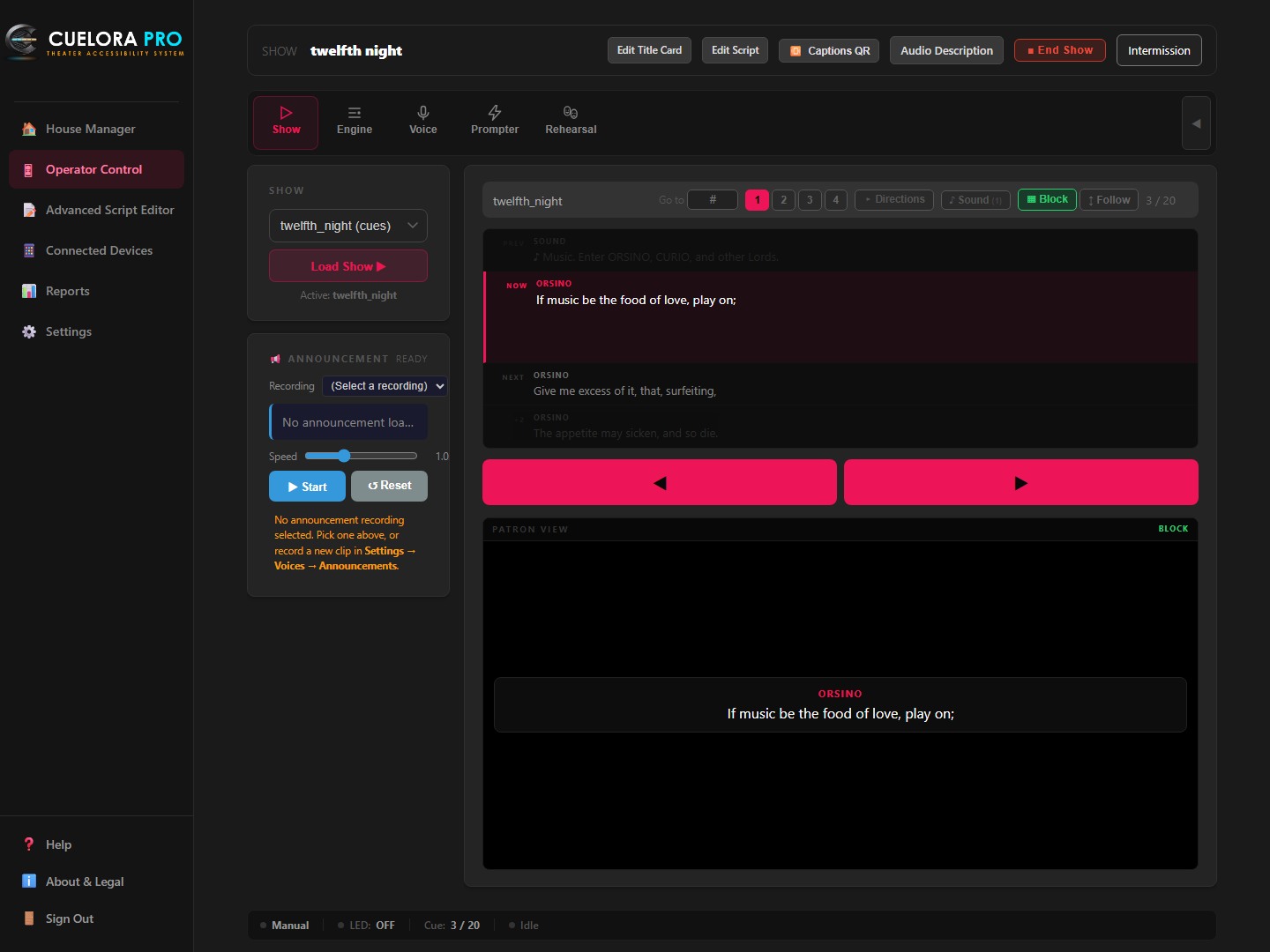
Current Cuelora Pro Operator Control with Advanced Script Editor in the menu, Twelfth Night cues and live patron preview
Showtime Booth View

Calm, unmistakable control in the dark

Designed for a darkened booth: see the previous cue, the live cue on air, the next lines queued, and the exact patron view below.

  • Manual or Script FollowStep cues with Spacebar / click, or turn on Script Follow to advance as lines are spoken.
  • Live Patron PreviewSee the caption patrons receive alongside your current and upcoming cues.
  • Connected DevicesMonitor active caption and audio sessions across the house in real time.
Try it on your laptop →
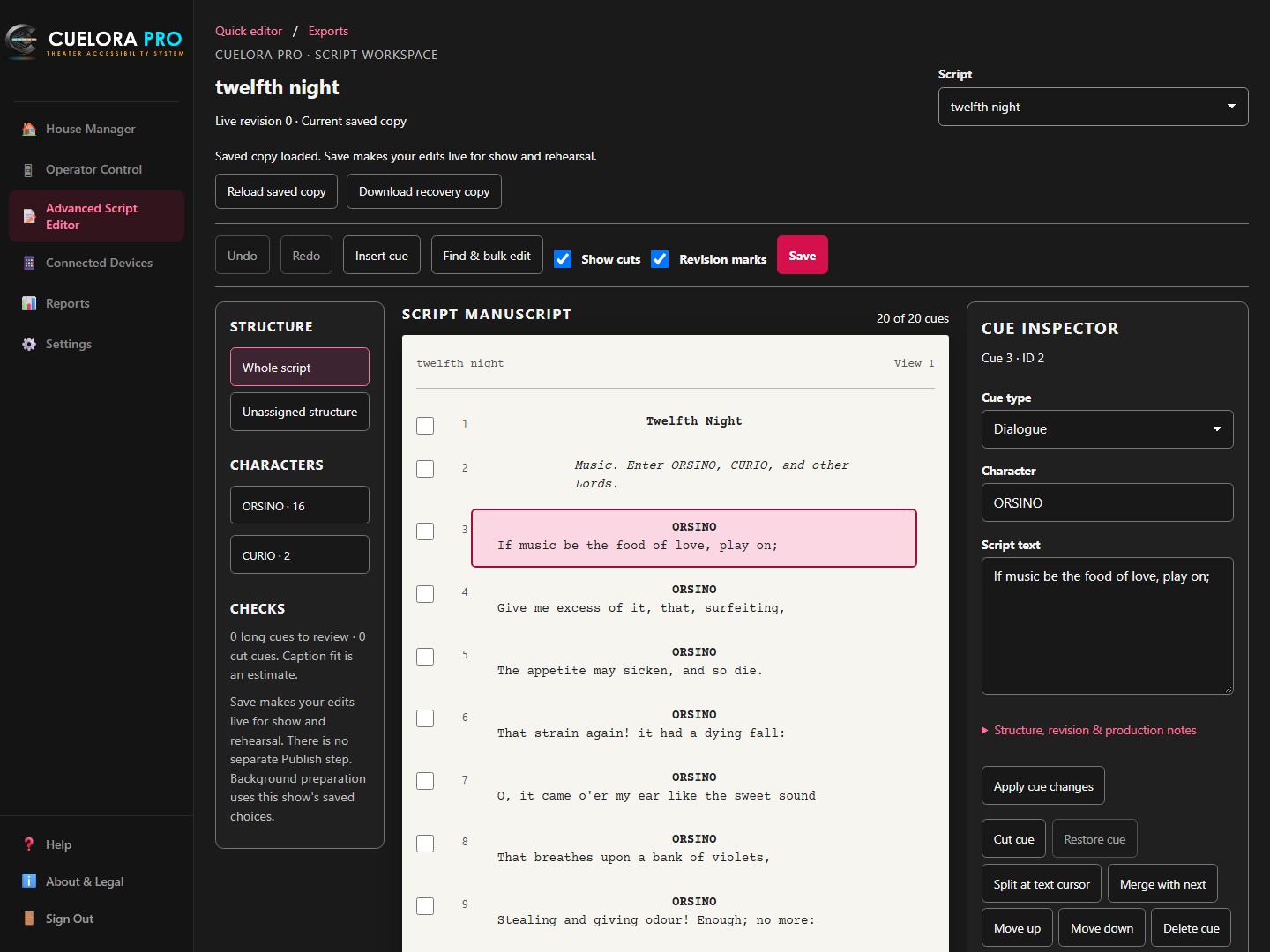
Current Advanced Script Editor showing the character outline, Twelfth Night manuscript and selected cue inspector
Before the performance

Your script, ready for the room

Open Advanced Script Editor from the app menu to work on the same script used for captions and rehearsal.

  • Manuscript & cue inspectorSelect a line to edit its text, character, cue type and production notes.
  • Find & bulk editFind text and work across selected cues, with cut cues and revision marks kept in view.
  • Production exportsExport PDF, Word, Fountain, CSV or a change report from your saved script.
View full-size editor screenshot ↗
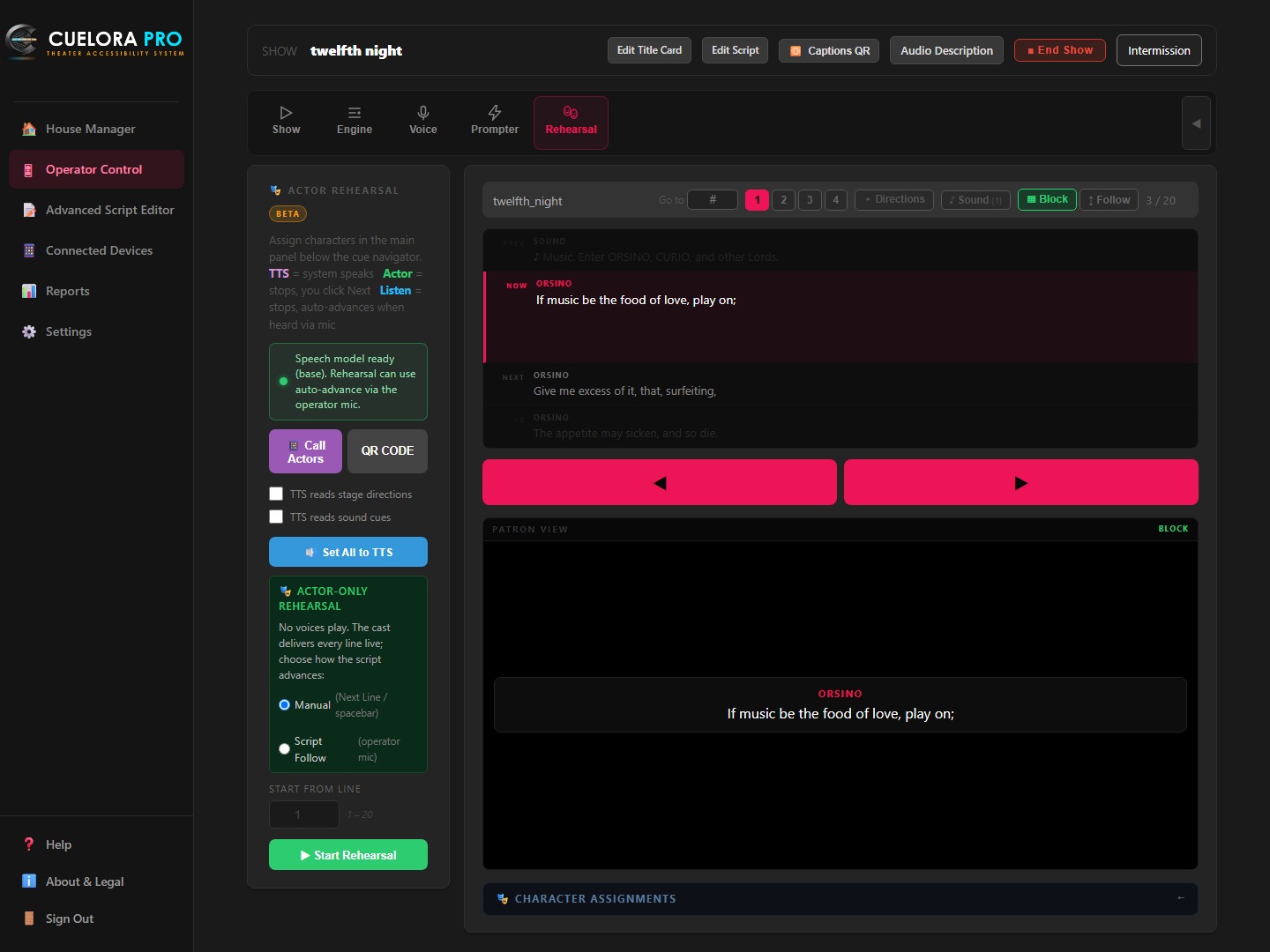
Current Cuelora Pro Rehearsal Mode with character assignments, manual and Script Follow options, Call Actors and rehearsal controls
Rehearsal Days

Put your imported script to work before tech week

Open Rehearsal right inside Operator Control to run lines with one actor or the whole room using the script you already imported.

  • Scene Partner Read-AloudAssign roles to TTS so Cuelora Pro speaks other characters’ lines aloud and waits on cue for the actor.
  • Listen & Auto-AdvanceUses the operator mic to advance automatically as each rehearsed line is delivered.
  • Wing & Room PrompterScan the Call Actors QR code to show prompts on phones in the room or wings.
Included in Cuelora Pro →
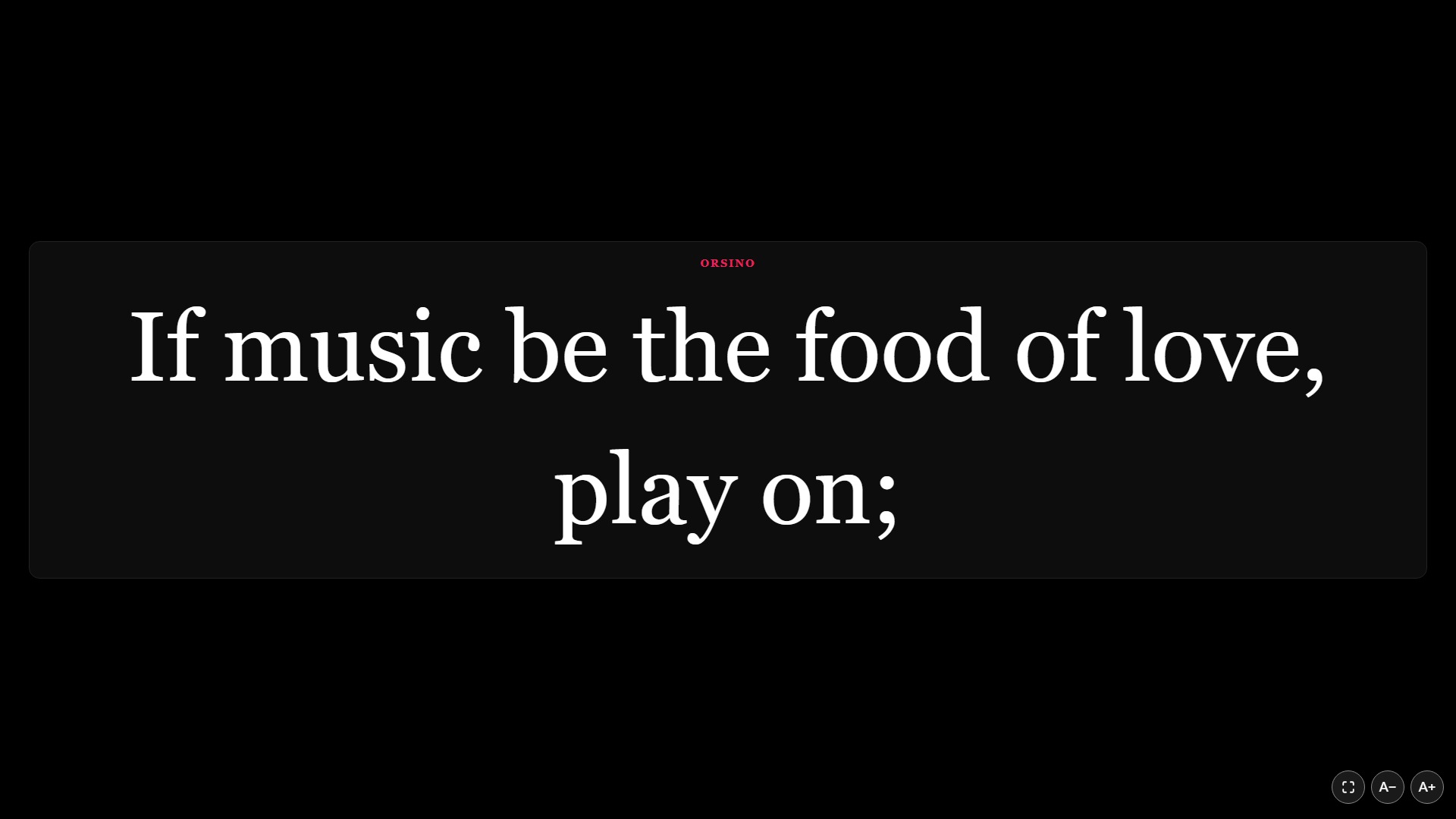
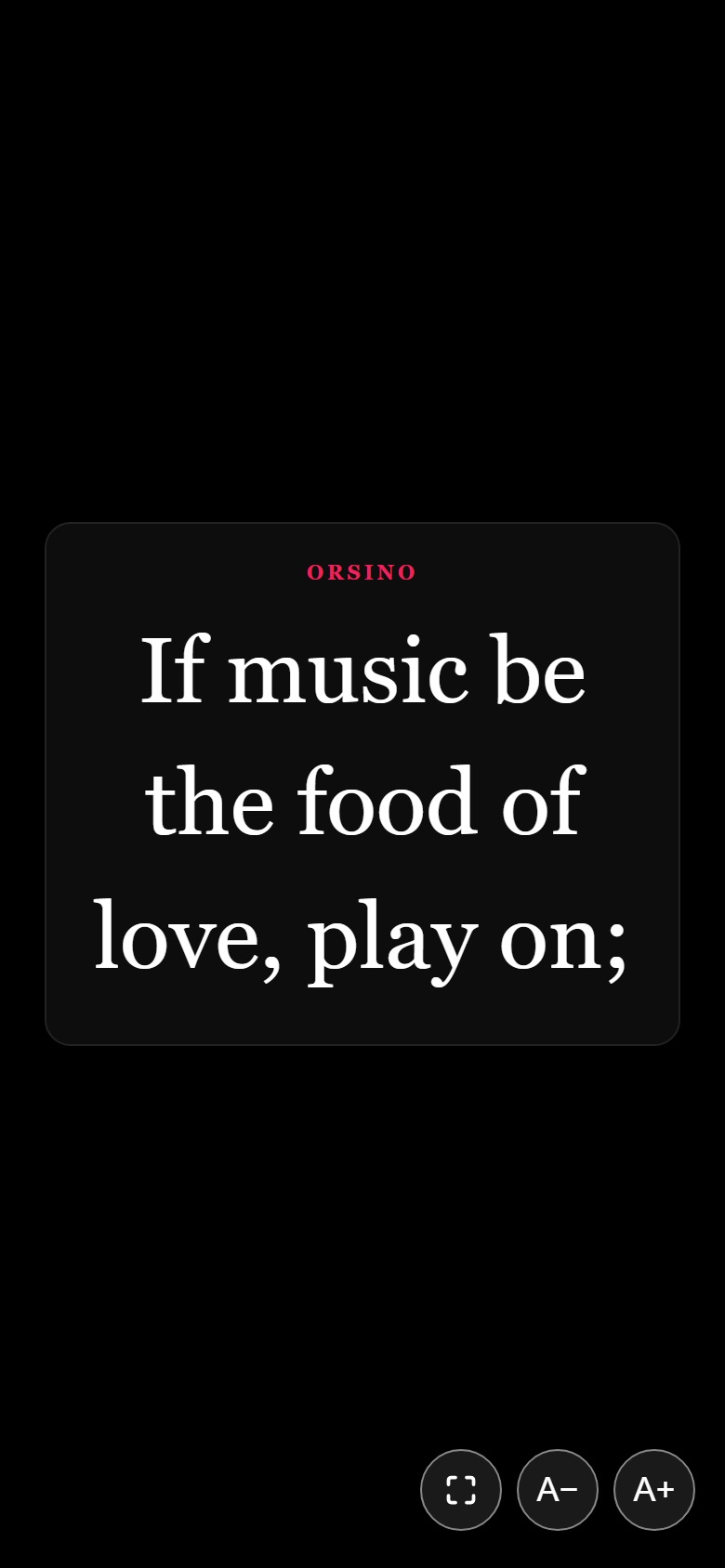
Real Cuelora Pro full-screen open-caption display on a 16:9 shared monitor Real Cuelora Pro patron phone caption view
Three House Surfaces

Phones, a smart TV, or an LED surtitle bar

Every theater space is shaped differently. Run closed captions, open captions and surtitles separately or all at once.

  • Browser-First Phones & TabletsZero download friction at the door—patrons scan the QR code and read immediately.
  • Any Smart TV or MonitorOpen the full-screen display URL on any network browser for instant open captions.
  • HDMI or Serial/USB LED SignsFormatted surtitles for opera, touring houses and large prosceniums.
Request a free venue demo →
Cuelora Pro: Captions app icon
Optional App · Core & Pro

Cuelora Pro: Captions

No app is required—browsers work out of the box. For patrons who prefer a dedicated app or venues lending their own devices, the free Captions app keeps the screen awake and remembers their language and text size.

Download Cuelora Pro: Captions on the App Store Get Cuelora Pro: Captions on Google Play
Cuelora Pro: Audio Description app icon
Recommended for Audio · Pro

Cuelora Pro: Audio Description

The best choice for Audio Description and Program Audio: spoken narration continues playing cleanly through headphones while the patron’s phone stays locked in a pocket or bag.

Download Cuelora Pro: Audio Description on the App Store Get Cuelora Pro: Audio Description on Google Play

Transparent Subscriptions · $0 Per-Performance Fees

Test it free in your building.
Subscribe when you’re ready.

One show computer (Windows or Mac) per subscription. Run unlimited rehearsals and performances with updates, email support and a 14-day first-payment refund included.

Slide-Based Captions

Cuelora Core

$50 / month · or $499 / year
Annual plan saves $101 compared with 12 monthly payments
  • Put your PowerPoint caption slides onto patrons’ phones & a shared TV
  • Runs over your venue’s local Wi‑Fi with zero internet required at showtime
  • Browser access with adjustable text size + optional free Captions app
  • 1 Windows or Mac show computer per subscription

Frequently Asked Questions

Questions venues ask before curtain.

Wiring a booth laptop, VLAN guest Wi‑Fi or serial LED sign? Write directly to support@cuelora.com.
Do patrons need to download an app?

No app is necessary. Patrons join your venue Wi‑Fi, scan the QR code and read along in their phone or tablet’s browser with nothing to install and no account required. Our free iOS and Android apps (Cuelora Pro: Captions and Cuelora Pro: Audio Description) are optional—and the Audio Description app is recommended for audio because playback continues with the device locked.

Does Cuelora Pro need internet during a performance?

No. Captions and prepared audio travel strictly over your venue’s own Wi‑Fi. Offline translations are generated on your laptop during setup after a one-time ~1 GB model download per language, so script text never leaves your building.

How do Program Audio and Audio Description work alongside captions?

Import your printed program from PDF, Word or text to generate or record narrated Program Audio before the show. For Audio Description, link recorded descriptions to script cues so they replay automatically alongside captions, or narrate live from the house manager screen.

Can actors use Cuelora Pro to run lines between shows?

Yes. Rehearsal Mode (included in Pro) turns your imported script into an interactive run-through: Cuelora Pro speaks other roles aloud, listens through the microphone for your lines, advances on cue and can display prompts on a phone in the wings.

Can we install Cuelora Pro on a permanent house server with separate guest Wi‑Fi?

Yes. Install Cuelora Pro on a Windows or Mac machine on your staff network (default port 5000), map a spare outside IP on your firewall to port 5000 via NAT, and restrict inbound traffic on that rule to your venue’s own guest Wi‑Fi egress IP—keeping patron devices isolated from staff VLANs without exposing captions to the public internet.

Free Venue Demo License · Windows or Mac

Try it in your building before you buy.

Enter your venue’s work email and we’ll send a download link for a free demo of Cuelora Core or Cuelora Pro—no credit card required.

Demo license request · Cuelora Pro and CoreFree · No credit card · Windows or Mac

Request a demo license

Please use your venue's work email address.

Which product would you like to demo?

Most links arrive within minutes. See our Privacy Policy. We won't add you to marketing email unless you opt in.